
Listen AI: Text to Speech
Deep Flow AppsProductivity
4.41.42K Reviews
- Version
- 2.5.5
- Installs
- 5.00M
- Age Rating
- Everyone
Screenshots



Our Review of Listen AI: Text to Speech
 Analysis by Appyee
I often turn to text-to-speech when a screen is tiring, my hands are busy, or I want to work through reading material away from my desk. Listen AI: Text to Speech is built around that practical switch from looking at words to hearing them. I found the idea especially appealing for long PDFs and articles that are easy to postpone when reading on a phone feels like one more task.
It is a free productivity app from Deep Flow Apps, with optional in-app purchases ranging from $4.99 to $129.99 per item. Its age rating is Everyone, and the current version is 2.4.0. The app has a 4.4 average from around 92,000 ratings and more than 5 million installs, so it has clearly found an audience beyond people who simply want a novelty voice reader.
Making a reading queue easier to approach
The useful question is not just whether an app can speak text, but whether it makes a pile of reading feel manageable. Here, I would use Listen AI to turn one specific item—a report, a chapter, or a saved web article—into something I can listen to during a routine that does not demand much attention. That works better than treating every document as one long audio session.
For example, I might listen to a few pages of a course reading while preparing lunch, then return to the document later to check a definition or quote. Audio can help me get the broad argument first; it is less reliable than the page when I need to inspect a table, compare footnotes, or remember exactly where a claim appeared. Keeping the document nearby is a sensible companion workflow rather than expecting listening to replace every kind of reading.
Navigation and readability are part of the experience
When I am choosing a text-to-speech tool, I care about how quickly I can get from a document to playback, but I also care about whether the listening setup stays comfortable after the first few minutes. Listen AI’s clean, intuitive interface is a promising starting point, and its text highlighting can make it easier to connect spoken words with their place on the page. That pairing can be useful for language practice, proofreading, or simply keeping my attention anchored.
There is a trade-off: highlighting only helps when I can see the screen and the text is laid out in a way that remains readable. If I am walking or keeping my phone in a bag, visual tracking is not part of the experience. I would also treat imported documents as a test case: before settling in for a long session, I would check a few paragraphs to see whether headings, page breaks, or other layout elements interrupt the flow. A short sample can reveal whether a particular file is pleasant to hear.
Different needs, different strengths
The app’s combination of listening speed controls and natural-sounding AI voices gives me room to shape a session around the material. I would choose a calmer pace for unfamiliar or dense writing and a quicker one for a familiar article I only need to review. Voice choice matters too: a voice that sounds pleasant for a short news piece may become tiring over a whole chapter, so I would try a sample before committing to a long listen.
That flexibility can support people who find sustained visual reading difficult, including some readers with visual impairments or reading difficulties. I would not present it as a complete accessibility solution, though. Hearing text can reduce dependence on the screen, but it does not make every document easy to follow, and some people may find synthetic speech, fast narration, or audio-only information uncomfortable. The best fit depends on the listener, the text, and the setting.
Where it fits among reading tools
Compared with reading a PDF directly, listening can make routine tasks more usable for material that does not need close visual inspection. Compared with a basic screen reader, a dedicated text-to-speech app is more naturally suited to sitting down with documents and listening as a reading activity. Neither approach is automatically better: built-in device reading options can be convenient for occasional use, while a dedicated app may be more appealing if converting different kinds of reading into audio is something I do regularly.
I would skip this app if my main need is detailed document analysis, precise citation work, or a tool that turns charts and complex page layouts into an equally clear spoken explanation. Audio is also a poor choice when I need to absorb information in a noisy place without headphones, or when I must stay alert to conversation and surroundings. Text-to-speech is a useful alternative channel, not a shortcut that removes the need to choose the right format for the job.
Turning text into listening
If you've ever wished your favorite book could read itself to you while you sip coffee, or if you’ve needed to multitask while "reading" an article, then Listen AI: Text to Speech might just be the app that changes the game for you. I’ve spent some time diving into this nifty little tool, and let me tell you, it’s got some serious potential.
Getting Started with Listen AI
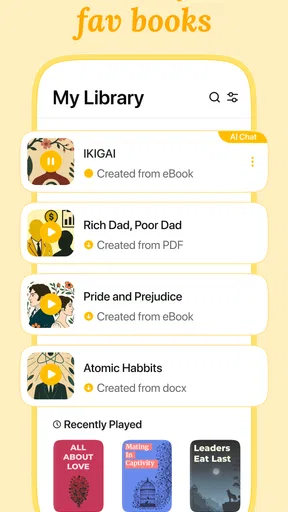
Alright, so first things first. Setting up Listen AI: Text to Speech is a breeze. You download it from the app store, and before you know it, you’re ready to rock and roll. The interface is clean and intuitive, which is a big win in my book. No one wants to sift through a maze of menus just to start using an app, right?
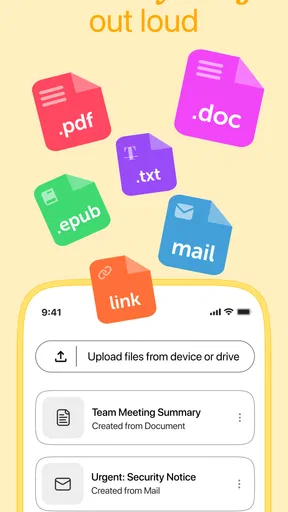
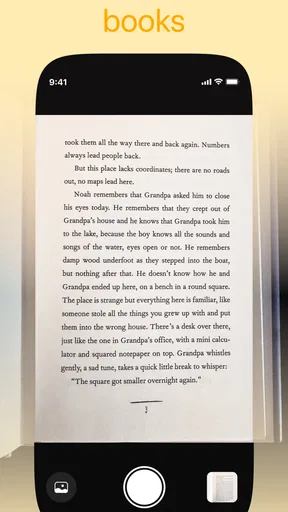
Once you’re in, you can easily import text from a variety of sources. Whether it’s a PDF, a webpage, or a simple text file, Listen AI handles it all without breaking a sweat. This is perfect for those of us who have a collection of e-books or a backlog of reading material we just can’t seem to get to.
The Magic of AI Voices
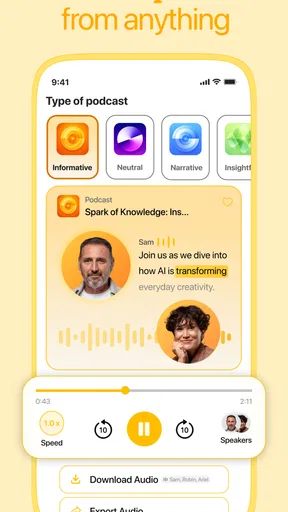
Now, let’s talk about the magic behind this app—its AI voices. There’s something almost eerie about how natural these voices sound. I mean, we’re not quite at the point where you can’t tell the difference between a human and AI, but we’re getting close. The app offers a variety of voices to choose from, so you can pick one that suits your fancy. Want a British accent to narrate your next article? No problem. Prefer a soothing, calm voice for your late-night readings? They’ve got that too.
What’s more, the AI is surprisingly good at handling complex text. It navigates through tricky grammar and syntax with ease, making the whole experience smooth and enjoyable.
Features that Stand Out
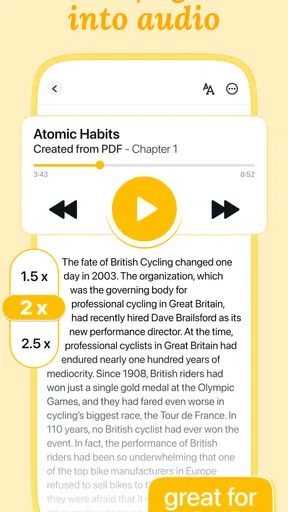
One of the features I found particularly useful is the ability to adjust the reading speed. Sometimes, you need to speed things up when you’re in a rush, or slow it down to savor every word. It’s like having your own personal narrator who’s always willing to accommodate your pace.
Another cool feature is the app’s ability to highlight text as it reads. This is super helpful if you’re trying to follow along or if you’re using the app as a learning tool. It’s like karaoke for books—how fun is that?
Real-World Applications
So, how does Listen AI: Text to Speech fit into daily life? Well, for starters, it’s a godsend for commuters. Pop in your earbuds, hit play, and suddenly your morning train ride is transformed into a productive session of "reading." It’s also fantastic for students who are drowning in reading assignments. You can listen to your textbooks while doing chores or exercising. Talk about multitasking!
Moreover, it’s incredibly beneficial for those with visual impairments or reading difficulties. The app provides an accessible way to engage with text without the physical act of reading, making it an inclusive tool for a wider audience.
Final Thoughts
In a world where time is often in short supply, apps like Listen AI: Text to Speech offer a valuable solution. It takes the age-old pleasure of reading and gives it a modern twist, fitting seamlessly into our busy lives. Whether you’re a bookworm at heart or someone who just needs a practical way to consume information, this app is worth a try.
So, if you’re curious, go ahead and give it a whirl. You might just find yourself hooked on this new way of "reading." Happy listening!
A routine that keeps audio useful
I get the most value from this kind of tool when I decide in advance what I want from a listening session. If I am reviewing an article, I can listen for its main point and then return to the screen for details. If I am working through a chapter, I can pause at a natural section break instead of trying to remember a long uninterrupted stream. This small habit makes audio feel less like background noise and more like a deliberate reading option.
For study, I would not rely on playback alone as a substitute for notes. A practical workflow is to listen once for the argument, then revisit only the sections that contain unfamiliar terms or information I need to retain. When a document is already familiar, a faster pace may help with review; when the wording is new or technical, slowing down is the more useful choice. The right speed is about comprehension, not how quickly I can finish.
Comfort, attention, and control
Text-to-speech can help when visual reading is tiring, but listening brings its own demands. I need a setting where I can hear clearly, and I need enough attention to follow the material. If I am doing a task that requires judgment, handling tools, or watching traffic, treating a spoken article as the main focus may be unsafe or simply ineffective. I use audio for low-attention routines, not as a reason to divide attention when the situation calls for it.
For sensory comfort, I would experiment with voice and pace before beginning a long document. A voice that feels clear for a few minutes may become fatiguing, while an overly brisk rate can make names and unfamiliar phrases blur together. The option to choose a voice and adjust speed is meaningful because comfort is personal; it is not a guarantee that every voice will suit every listener. Short trials are a better way to decide than committing to a full book straight away.
What to check before settling in
Different sources can behave differently once converted to speech. A straightforward article is usually a more forgiving first test than a complex PDF with columns, tables, or frequent section labels. I would listen to a small excerpt and notice whether the reading order makes sense, whether headings interrupt the sentences, and whether the narration handles abbreviations in a way I can understand. If the result is confusing, that is a document problem to work around rather than something a pleasant voice can fix.
It is also worth thinking about the cost boundary before making the app part of a routine. The app itself is free to start, while in-app purchases are offered at a range of prices. I would first try the basic experience with the documents I actually use, then decide whether any paid option is worth it to me. That keeps the decision grounded in my own listening habits instead of assuming that a paid upgrade is necessary.
Who is likely to appreciate it
I would recommend trying Listen AI if you regularly have PDFs, books, web pages, or documents waiting to be read and would benefit from hearing them during quieter parts of the day. It may also be a helpful option for someone who prefers listening while following highlighted text, or who wants an alternative when prolonged screen reading is uncomfortable. Its appeal is strongest when the source material is mostly text and the listener can choose a calm, suitable environment.
I would point a different reader toward another approach if they need a screen reader for navigating an entire device, a specialized study tool for annotating and organizing references, or reliable spoken descriptions of visual material. A built-in reading function may be enough for occasional passages, and a dedicated screen reader may better serve someone who needs access across apps and controls. Listen AI is best judged as a way to make supported reading material audible, rather than as a replacement for every accessibility or research tool.
An inclusive but individual fit
For me, the strongest inclusive quality is the choice it offers between looking at text and hearing it, with speed and voice adjustments that can make a session feel more personal. That can lower a real barrier for some readers, especially when the alternative is putting off a long passage altogether. At the same time, audio depends on hearing, attention, language comfort, and the quality of the source text; no single format works equally well for everyone.
Listen AI: Text to Speech is worth considering if you want a practical listening route through everyday reading and are willing to test how your own documents sound. I would start with a short article, choose a voice that remains comfortable, and use highlighting when I am seated and able to follow the screen. If that trial fits naturally into my day, the app has a clear role; if I need detailed visual navigation or specialist accessibility support, I would choose a tool designed for that need instead.
Verdict
Strengths of Listen AI: Text to Speech
- High-quality voice output.
- Supports multiple languages.
- User-friendly interface.
- Customizable speech rate.
- Offline functionality available.
Limitations of Listen AI: Text to Speech
- Limited free features.
- Occasional pronunciation errors.
- Requires in-app purchases.
- Large app size.
- No voice customization options.
Other Releases by Deep Flow Apps
View All
Learn English, Spanish: Learna
Education4.6

IQ Masters - Brain Games
Education4.2

Nerd AI - Tutor & Math Helper
Education4.6

Retake AI: Face & Photo Editor
Photography3.7
Similar Picks in This Category
View All
Google Calendar
Google LLC4.6

Google Drive
Google LLC4.3

Google Assistant
Google LLC3.9

Microsoft OneDrive
Microsoft Corporation4.6

Samsung Calendar
Samsung Electronics Co., Ltd.4.1

Microsoft OneNote: Save Notes
Microsoft Corporation4.6
Frequently Asked Questions
What platforms is Listen AI: Text to Speech available on?
Listen AI: Text to Speech is available on both Android and iOS platforms. Users can download the app from the Google Play Store for Android devices and the Apple App Store for iOS devices. This ensures compatibility with a wide range of smartphones and tablets.
Does Listen AI support multiple languages for text-to-speech conversion?
Yes, Listen AI supports multiple languages for text-to-speech conversion. The app is designed to cater to a diverse user base, offering support for several popular languages globally. Users can choose their preferred language from the app settings to enhance their experience.
What are the key features of Listen AI: Text to Speech?
Listen AI offers several key features, including high-quality voice output, customizable speech settings, and offline functionality. Users can adjust the speed and pitch of the voice, save converted texts for later listening, and use the app even without an internet connection.
Is there a free version of Listen AI available?
Listen AI offers a free version with basic features to allow users to try the app. However, to access the full suite of features, including premium voices and additional customization options, users may need to subscribe to a paid plan or make in-app purchases.
How user-friendly is Listen AI for beginners?
Listen AI is designed with user-friendliness in mind, making it accessible for beginners. The app features a straightforward interface with clear instructions. New users can easily navigate through the app's functionalities, and there are tutorials and customer support available for additional guidance.
